
What Tavala is and what it does
Tavala tracks what you own, spend and owe in any currency, in cash or as a household. It works offline on iPhone, iPad, Android, Mac and the web.
On this page
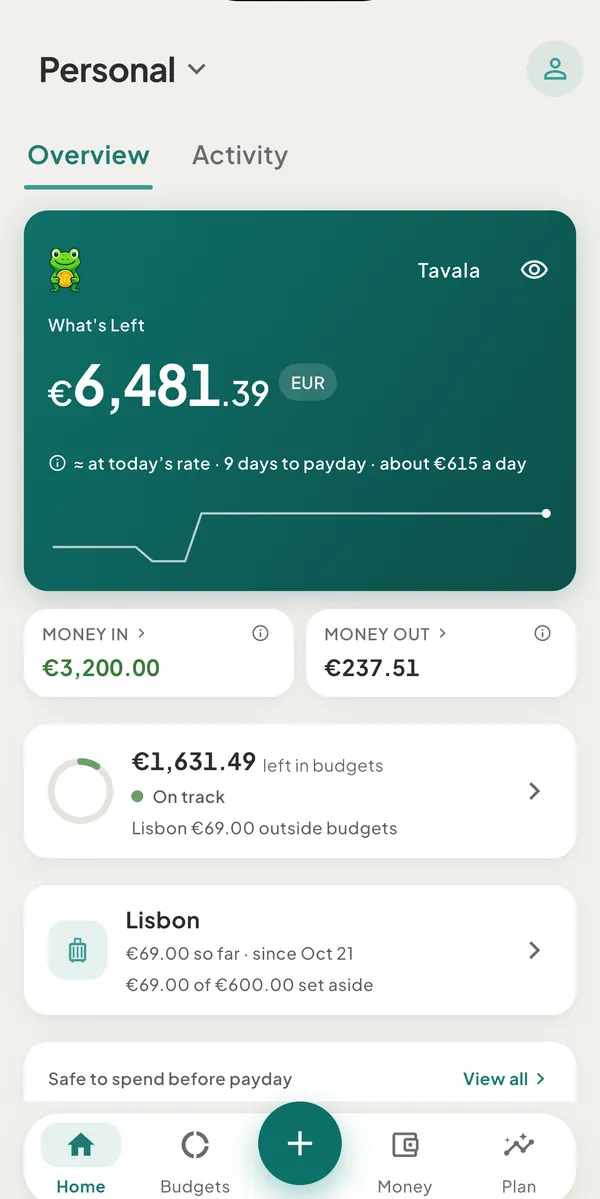
Tavala is a personal-finance app for tracking what you own, what you spend and what you owe. It runs on iPhone, iPad, Android, Mac and in a web browser, keeps working with no connection, and does not need an account to start.
Who it is for
Tavala is built for people whose money does not fit in one account in one currency:
- Money in more than one currency. Each wallet keeps its own currency, and everything is added up in one main currency. Amounts are converted at the rate of the day you recorded them.
- Money in cash. You type an amount and a few words, and Tavala keeps the balance. No bank connection is needed.
- Money shared with a household. A space holds wallets, entries and budgets that more than one person can add to.
What it does
- Record money in one line. Type
coffee 4.80and Tavala reads the amount, the category and the date. See add an expense in one line. - Keep wallets and see your net worth. Spending wallets, savings goals, debts and money you lent each count in their own way. See wallet types and the Money tab and your net worth.
- Work in any currency. More than 150 currencies and 96 cryptocurrencies are available. See choose your main currency and how rates work.
- Budget and plan ahead. Monthly budgets, bills and recurring payments, and a forecast of the next 30 days. See set a monthly budget and safe to spend.
- Set trips and projects apart. Spending on a trip or a project is counted separately from everyday spending. See how trips and projects work.
- Track debts and loans. Payments are split into interest and principal, and a payoff planner shows the date you are debt-free. See track a loan or a credit line.
- Read reports. Where your money went, by month, with CSV and PDF export. See reports.
- Share a space. Invite people to a space. See spaces.
- Back up and sync. A free account backs up your data and syncs it between devices. See how sync and offline work.
- Import from a bank. In the United States and Canada, a bank can be connected to import transactions. See connect a bank account.
- Use it in your language. The app is in English, Spanish, French, Italian, Japanese, Brazilian Portuguese and German. See change the app's language.
- Protect what is on screen. An app lock, hidden amounts, two-step verification and passkeys. See privacy and security.
What it does not do
- It does not move money. A bank connection is read-only. Tavala cannot pay, transfer or withdraw.
- Bank connections cover the United States and Canada only. Everywhere else you record transactions by hand, with recurring rules, or with the capture bar.
- It has no transaction CSV import. CSV import exists for debts only. See import debts from a CSV file.
- It has no Apple or Google sign-in. An account uses an email address and a password, and can add a passkey. See create an account.
- Budgets are monthly, with no rollover. Each month starts fresh. There are no sub-categories.
- Investment accounts show a balance only. They come from a linked bank or brokerage account. You cannot add one by hand, and Tavala does not track holdings.
- A shared space does not show who added an entry.
- There is no Windows or Linux app. The web app runs in a current browser on any computer.
Free plan and Tavala Plus
The core of the app is free: recording, wallets, budgets, bills, trips and projects, debts and backup. The free plan syncs 1 device, holds 2 currencies per space and 2 private spaces. Sharing a space is part of Tavala Plus. See free and Tavala Plus compared.
Where your data lives
Your data is on your device first, and every screen works offline. Without an account it stays on that device only, with no backup (see use Tavala without an account). With an account it is backed up and syncs to your other devices. Tavala shows no ads.
Where to go next
Was this helpful?
No opens an email to support with this page’s address. Nothing is recorded here.