
Budgets and planning
Monthly budgets, bills and recurring payments, safe to spend and the next 30 days.
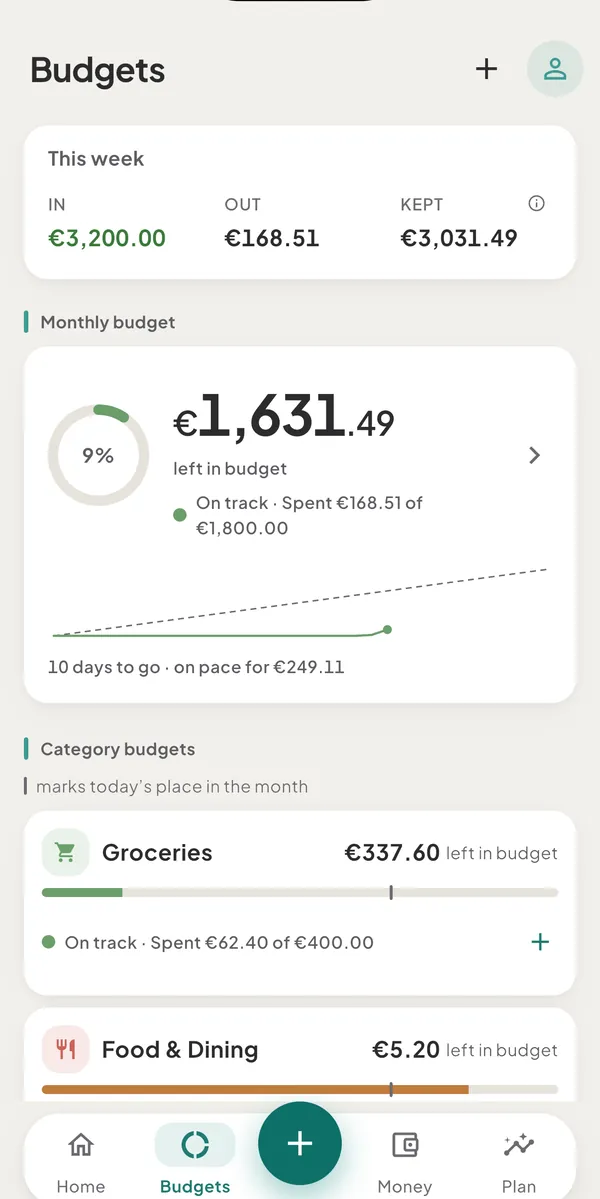
- Set a monthly budgetOpen the Budgets tab, pick Everything or one category, enter a monthly limit and tap Add budget. Budgets count everyday spending in your main currency.
- What the budget words and colours meanOn track, Getting close, Almost spent, Over budget and Pacing to exceed: how Tavala picks each word, what the ring, the tick and the pace line show.
- Add a bill or a recurring paymentCreate a rule for rent, a subscription or your salary, choose how often it repeats, and let Tavala post it on schedule or ask you to confirm each one.
- Safe to spend and the next 30 daysSafe to spend is the money in your spending wallets minus the recurring bills due before your next income, or in the next 30 days. It never goes below zero.
- The Plan tabThe Plan tab looks ahead: a cash-flow forecast built from your recurring bills and income, the debt payoff planner and the calculators, and what is Plus.
- Bill reminders and notificationsTurn on notifications to get a reminder the day before and the morning a bill is due. Reminders are set on your device, show no amounts and come once a day.
Still need help?
Write to support@tavala.io and a person replies. Say which device you are on, the app version and whether you are signed in, and what you did just before it happened. What to include, and how to send it from the app.