
Trips and projects
Keep a trip or a project apart from everyday spending, and see what it cost.
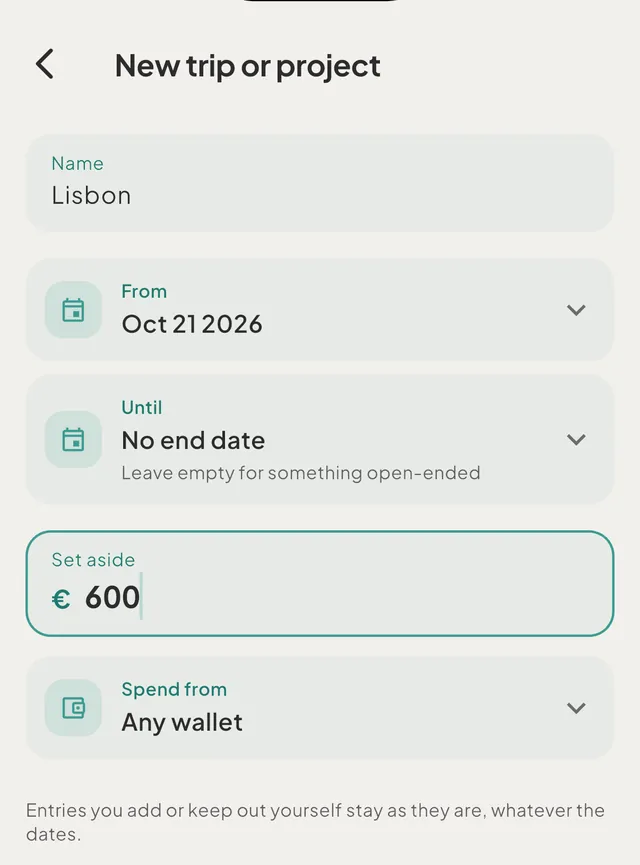
- How trips and projects workA trip or project keeps one-off spending apart. Budgets and insights read only everyday spending, while Spending, Money out and your balances count everything.
- Start a trip or a projectName it, choose the dates and tap Save. A trip ending up to 60 days after it starts takes in expenses dated inside it. Leave the end empty for a project.
- Put spending on a trip or a projectDates add expenses to a trip for you. For anything else, use the trip chip on an entry, type the trip's name in the capture bar, or use Add entries on its page.
- See what a trip or a project costA trip's page shows the total, the daily average, what is pending or estimated, a category breakdown and every entry. A finished trip adds a summary.
Still need help?
Write to support@tavala.io and a person replies. Say which device you are on, the app version and whether you are signed in, and what you did just before it happened. What to include, and how to send it from the app.