
Getting started
Install Tavala, add your first wallet and your first entry, and learn where everything is.
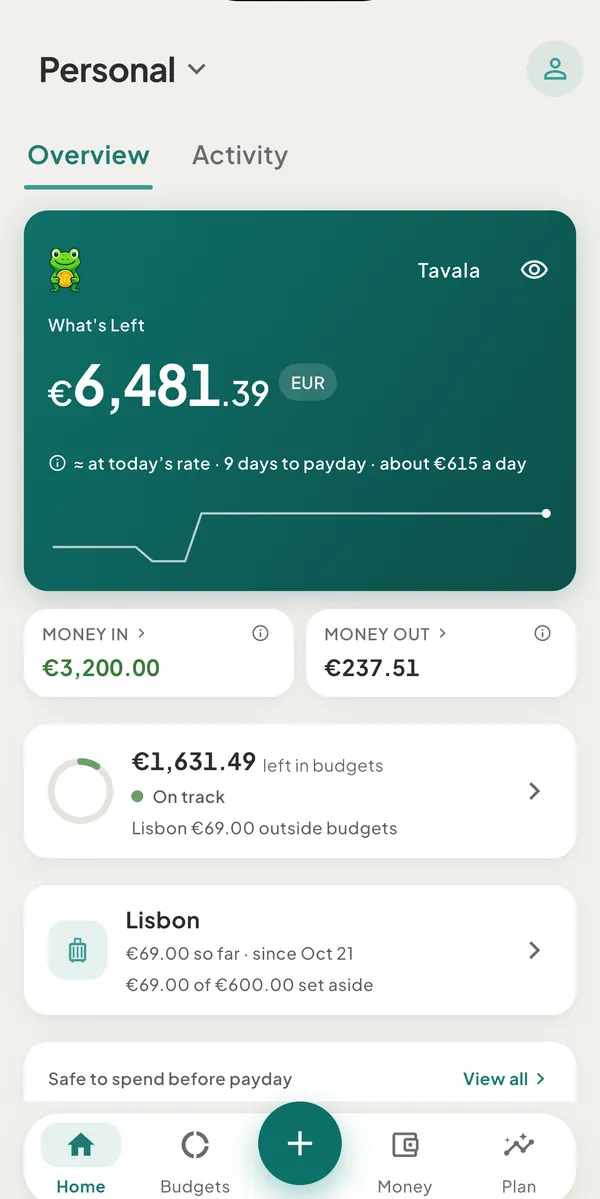
- What Tavala is and what it doesTavala tracks what you own, spend and owe in any currency, in cash or as a household. It works offline on iPhone, iPad, Android, Mac and the web.
- Set up Tavala in five minutesAdd your first wallet, record your first expense and read What's Left. You do not need an account, and every step works offline.
- Find your way around the appTavala has four tabs, a + button for new entries and a Settings page. Where each one sits on a phone, an iPad, a Mac and the web.
- Use Tavala without an accountEverything works without an account, but your data stays on one device with no backup. What a guest can and cannot do, and what changes when you sign up.
- What's Left, Money in, Money out and SpendingWhat each figure on Home, Budgets, Money and Reports counts, how Money out differs from Spending, and a worked example with real numbers.
- Keyboard shortcuts on iPad, Mac and the webEvery Tavala keyboard shortcut for a hardware keyboard on iPad, Mac, Android tablets and desktop browsers, plus the Mac menu bar and keys inside lists.
- Change the app's languageTavala is in English, Spanish, French, Italian, Japanese, Brazilian Portuguese and German. Pick one in Settings, or keep System to follow your device.
Still need help?
Write to support@tavala.io and a person replies. Say which device you are on, the app version and whether you are signed in, and what you did just before it happened. What to include, and how to send it from the app.