
Reports
Where your money went by month, year or any range, by category and by trip, and how to export it.
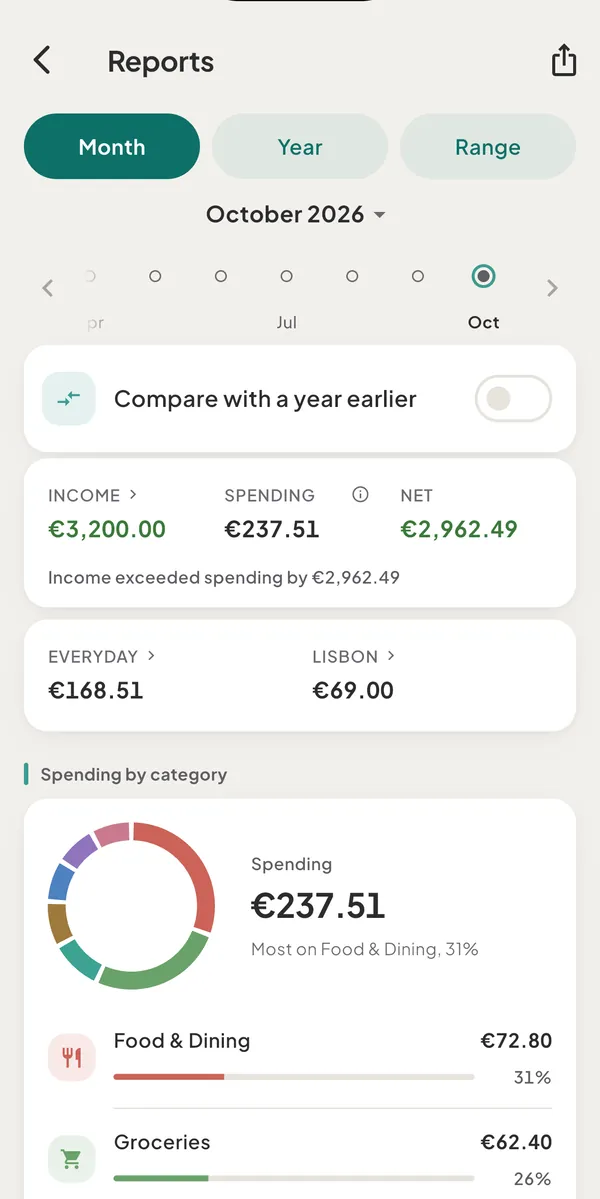
- Reports: where your money wentReports shows a month's income, spending and net, a breakdown by category, insights and a month in review. The year and date range views are part of Plus.
- Export a report as CSV or PDFTap the share icon on Reports to export the period you are viewing as a CSV spreadsheet or a PDF summary. Free exports this month; Plus exports any period.
Still need help?
Write to support@tavala.io and a person replies. Say which device you are on, the app version and whether you are signed in, and what you did just before it happened. What to include, and how to send it from the app.