
Use Tavala without an account
Everything works without an account, but your data stays on one device with no backup. What a guest can and cannot do, and what changes when you sign up.
On this page
You can use Tavala without an account. Recording, wallets, budgets, bills, debts, trips, reports and exports all work, offline, as a guest. The difference is that your data lives on that one device, with no backup and no sync.
What a guest can do
- Record entries, with the capture bar or the full form, in as many wallets as you add.
- Set budgets, bills and recurring rules, track debts and loans, and run the calculators.
- Use trips and projects, read reports, and export them.
- Export all your data as a JSON file. See export all your data.
- Turn on the app lock and hidden amounts. See lock Tavala and hide amounts on screen.
What needs an account
- Backup and sync. Without an account there is no copy of your data anywhere else.
- Sharing a space. The Spaces page shows "Sharing needs an account".
- Bank connections. Connected accounts shows "Create an account to link a bank".
- Tavala Plus. Plus is bought on an account. See get Tavala Plus.
- The Devices screen, the plan card and the Danger zone in Settings.
What a guest has to know
A guest has no backup. If you delete the app, lose the device or reset it, the data is gone. In a browser, clearing the site's data removes it.
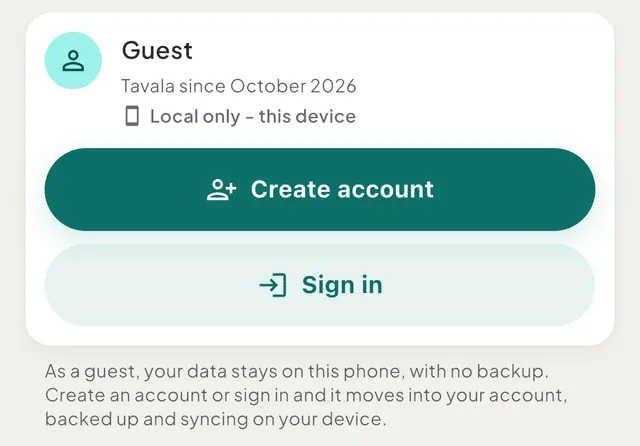
Home shows a reminder, for example "Your data lives only on this phone. Create a free account to keep it safe if you lose or change your phone." The word is "iPad", "Mac" or "browser" on those devices. The Settings card reads Guest and "Local only - this device".
What happens when you create an account
- In Settings, tap Create account on the Guest card, or tap Create account on the Home reminder.
- Enter an email address and a password, and accept the privacy policy and terms.
- Confirm the email with the 8-digit code Tavala sends you.
Your data then moves into the account and starts syncing. Nothing you recorded is lost. A space you never used (only the starter wallet at zero and the default categories) is discarded instead of copied, so another device does not get an empty extra space.
If the account already has data, for example when you sign in on a second device, that data downloads and the guest data you used is added next to it as another space. On the free plan, signing in on a second device may ask you to move syncing there. See devices on the free plan.
The steps are in create an account to back up and sync.
Good to know
- Signing out returns you to a fresh guest. Your account's data stays in your account and comes back when you sign in. See sign out.
- To use your data on a second device, create an account on this one, then sign in on the other.
- A guest follows the free plan's limits, such as 2 currencies per space. See free and Tavala Plus compared.
- Choices made on the device, such as the app lock and hidden amounts, are not part of the account. They turn off when you sign out.
Was this helpful?
No opens an email to support with this page’s address. Nothing is recorded here.